Extract Text & Key Sentences
Extract text and key points from your PDF documents. All processing happens locally — your documents stay private.
Choose files
or drag and drop them here
What Extract Text does, and how its key points are really picked
This tool reads the text layer of a PDF, the characters stored in the file that you could normally select with your mouse. It uses pdf.js inside your browser, page by page. You then see three counts (pages, words and characters), the extracted text, and a numbered list of up to eight key points. Copy puts the full text on your clipboard, and Download .txt saves it as a plain text file. Nothing is sent to a server.
The key points are not a summary, and no AI is involved. The tool splits the text wherever it finds a full stop, question mark or exclamation mark. It then lists the first eight pieces, in the order they appear, that are between 30 and 300 characters long. In a document that opens with its main points, such as meeting notes, a short report or a news story, that gives a quick feel for the content. In a document that opens with boilerplate, it just repeats the boilerplate.
It is most useful for getting words out of a PDF to paste into an email, a translation tool or a document, and for checking a word count against an essay or form limit. It is also a quick test of whether a PDF is a real text document or a scan: for our image-only test page, the tool showed 0 words and 0 characters and said plainly that no selectable text was found. Line breaks inside a page are not kept, and table columns run together. Headings merge into the sentence that follows them. The panel shows up to 20,000 characters; Copy and Download .txt always include the whole text, however long the document is.
How to extract text from a PDF, step by step
Load a PDF, run the extraction, and copy what you need. Everything happens in your browser tab.
- 1
Open the Extract Text tool
Go to the Extract Text & Key Sentences page and click Choose Files, or drag a PDF onto the upload box. The tool works on one PDF at a time.
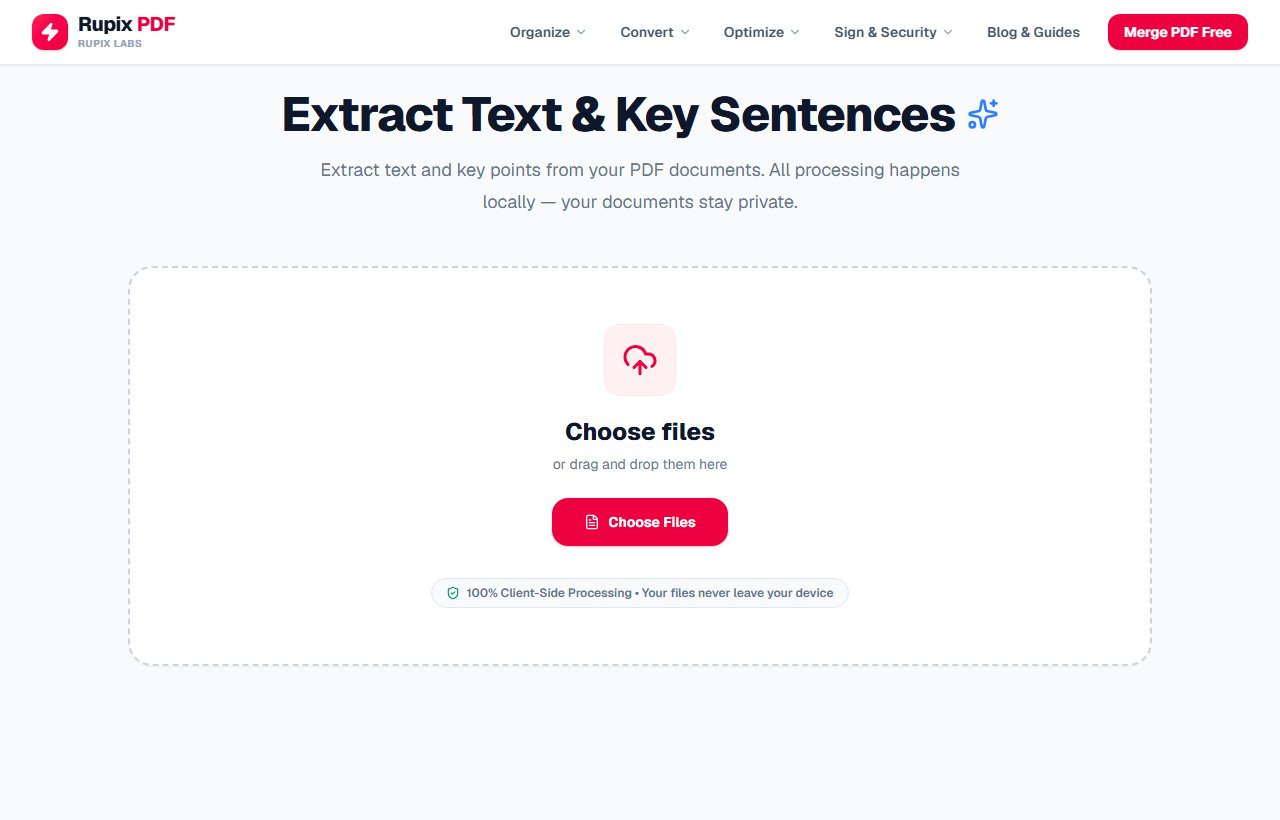
The Extract Text & Key Sentences page with its empty upload box. - 2
Check the file and start the extraction
The page splits into two panels. Source Document on the left shows your file's name and size, and Analysis Output on the right is empty for now. Click the blue Analyze & Extract button to read the text.
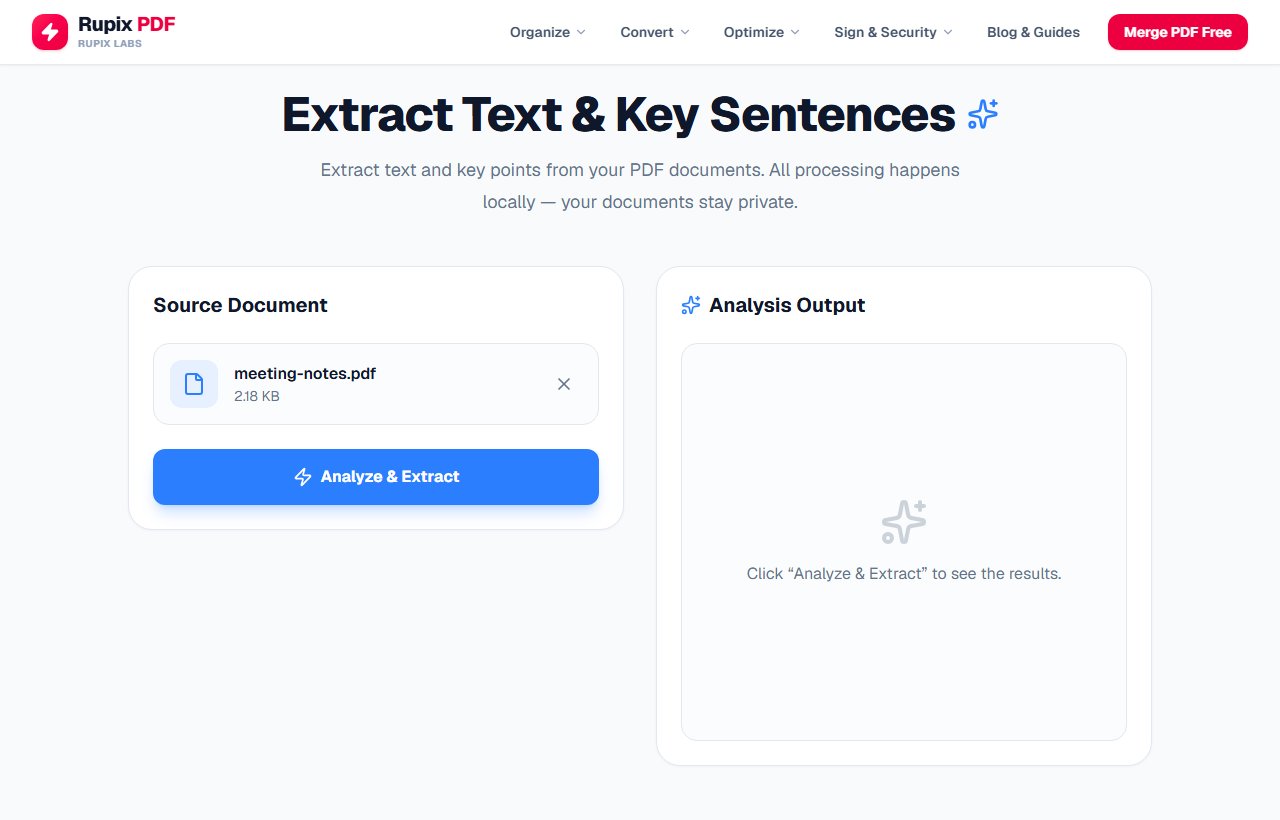
The Source Document panel with meeting-notes.pdf and the Analyze & Extract button, next to the empty Analysis Output panel. - 3
Read the counts and key points
The left panel now shows the number of pages, words and characters. Our two-page demo notes came to 187 words and 1,082 characters. On the right, Key Points lists up to eight sentences in document order. Notice that the first one starts with the page heading, and full stops at the ends of sentences are dropped.
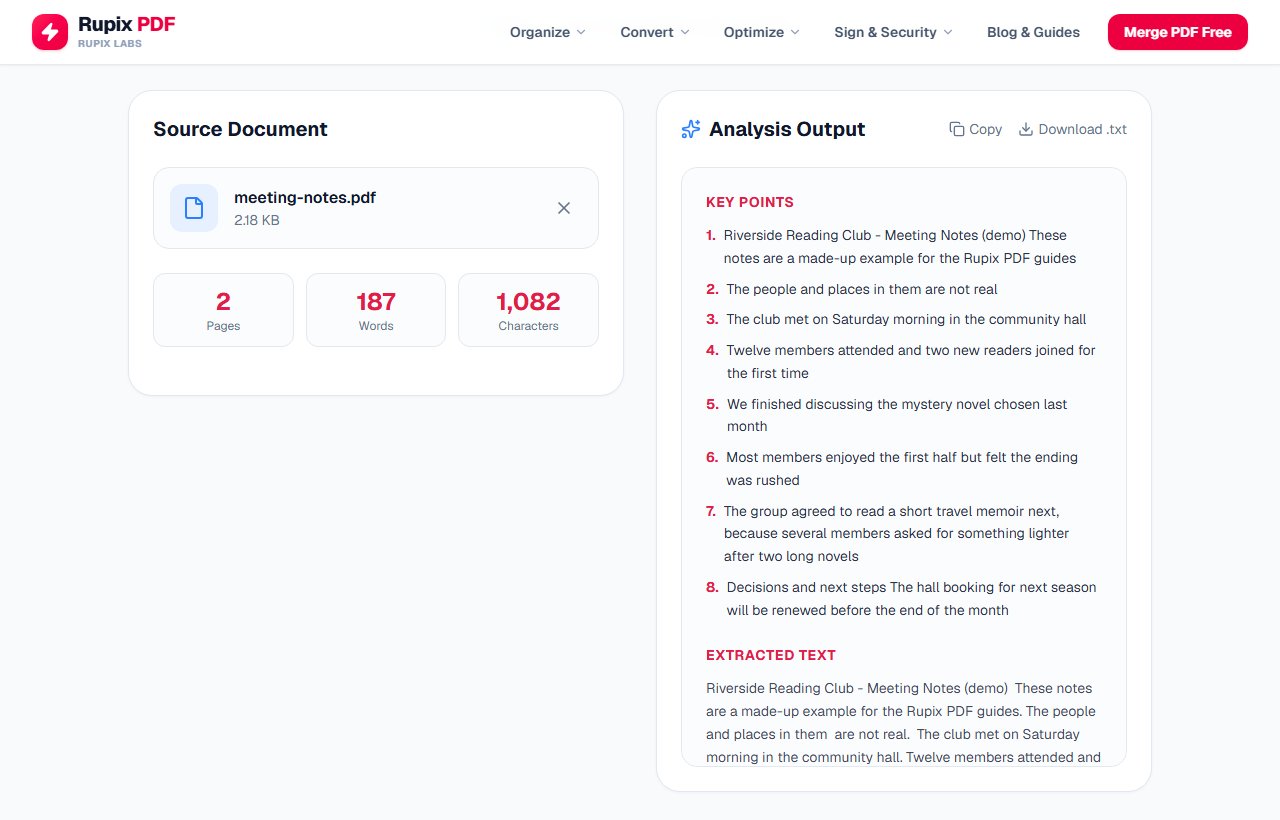
Stats reading 2 pages, 187 words and 1,082 characters, with eight numbered key points in the Analysis Output panel. - 4
Scroll to the extracted text
Scroll inside the Analysis Output panel to reach Extracted Text. Each page's text runs together as one block, with a blank line between pages. Documents of up to 20,000 characters are shown in full; for longer ones, a note at the end says how much is shown and that Copy and Download .txt include the full text.
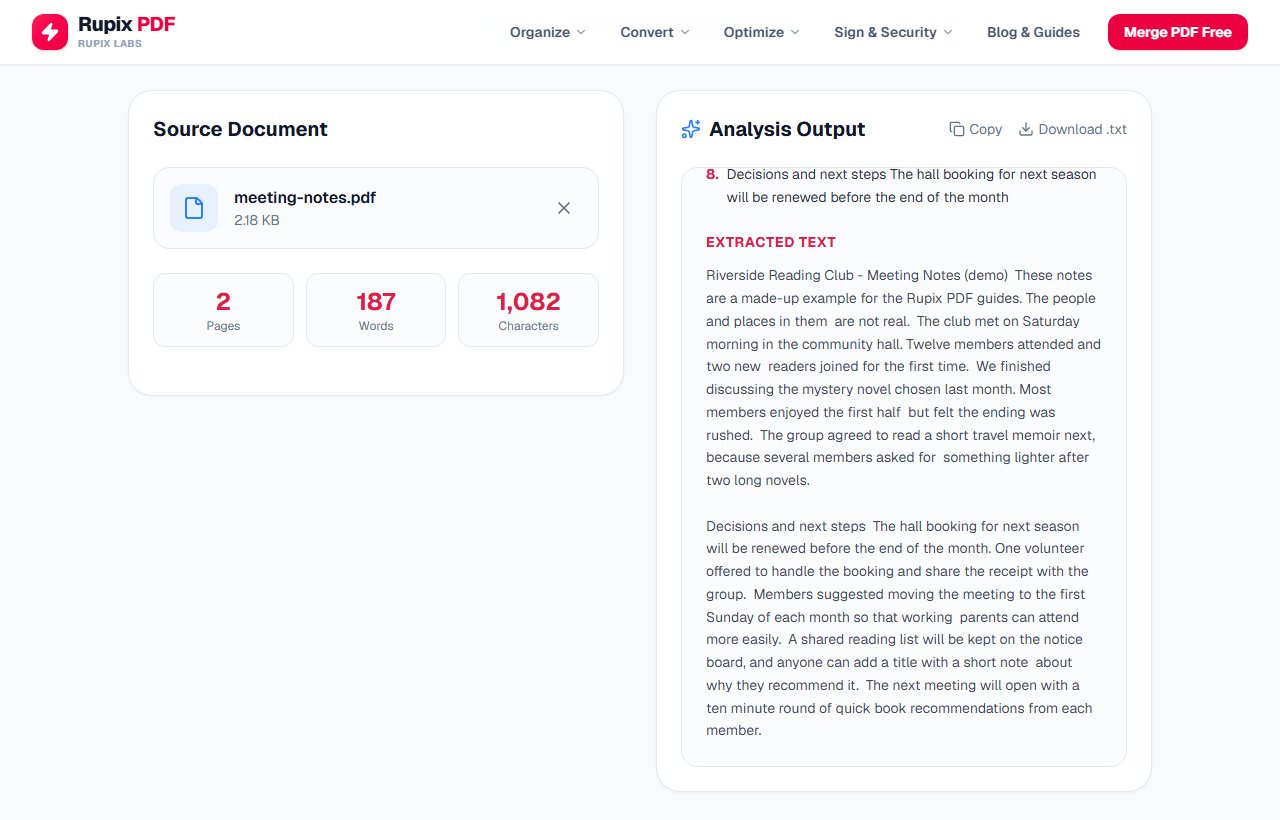
The Extracted Text section showing both pages of the demo notes as two paragraphs separated by a blank line. - 5
Copy or download the text
Click Copy at the top right of the output panel; it changes to Copied! for two seconds, and the clipboard holds the complete extracted text, ready to paste. The key points are not included. To keep the text as a file instead, click Download .txt next to it, which saves the same text under your PDF's name with a .txt ending.
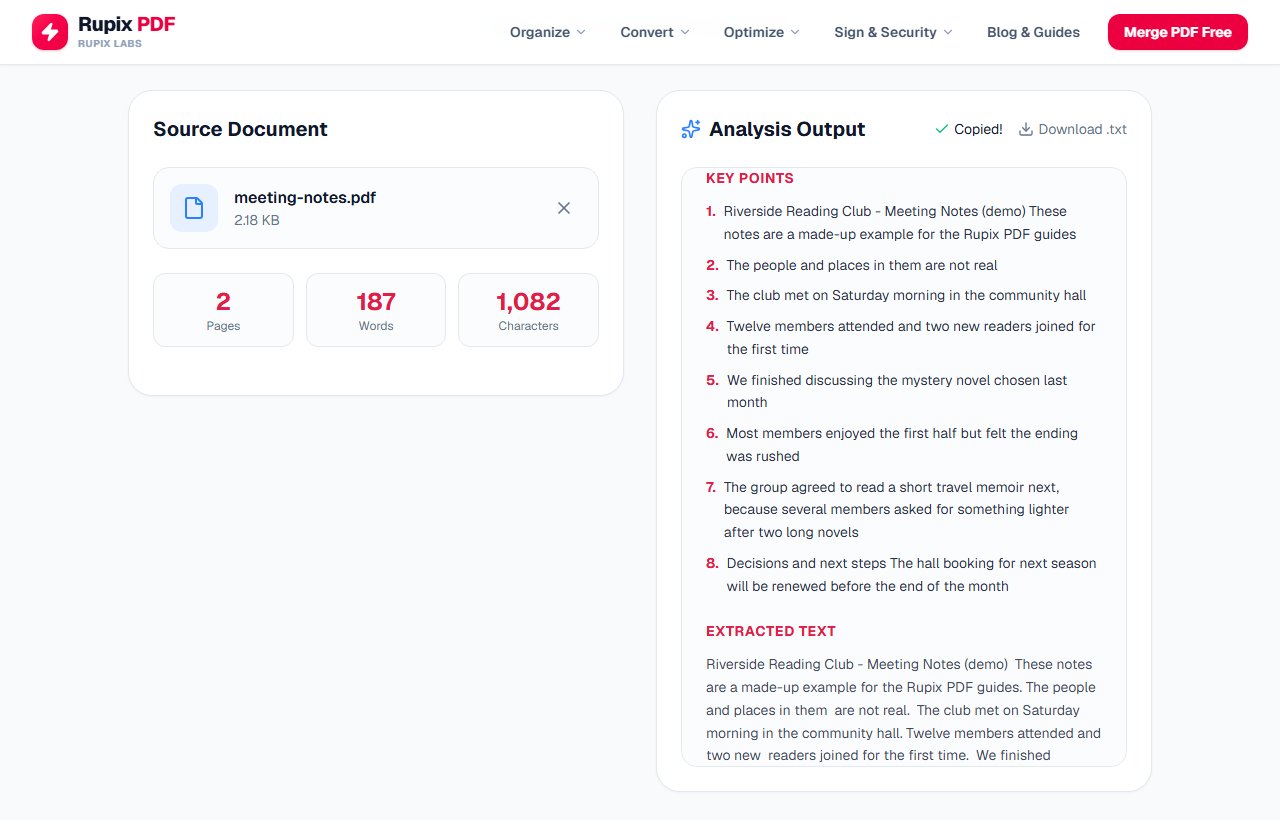
The Copy control switched to a green Copied! confirmation, next to Download .txt, above the key points list. - 6
If you get zero words, the PDF is a scan
A page that is only a photo or scan has no text layer to read. Our scanned receipt page showed 1 page, 0 words and 0 characters, and the output panel said No selectable text found, explaining that the PDF looks like a scan. Text on pages like that can only be read with OCR software, which this tool does not include.
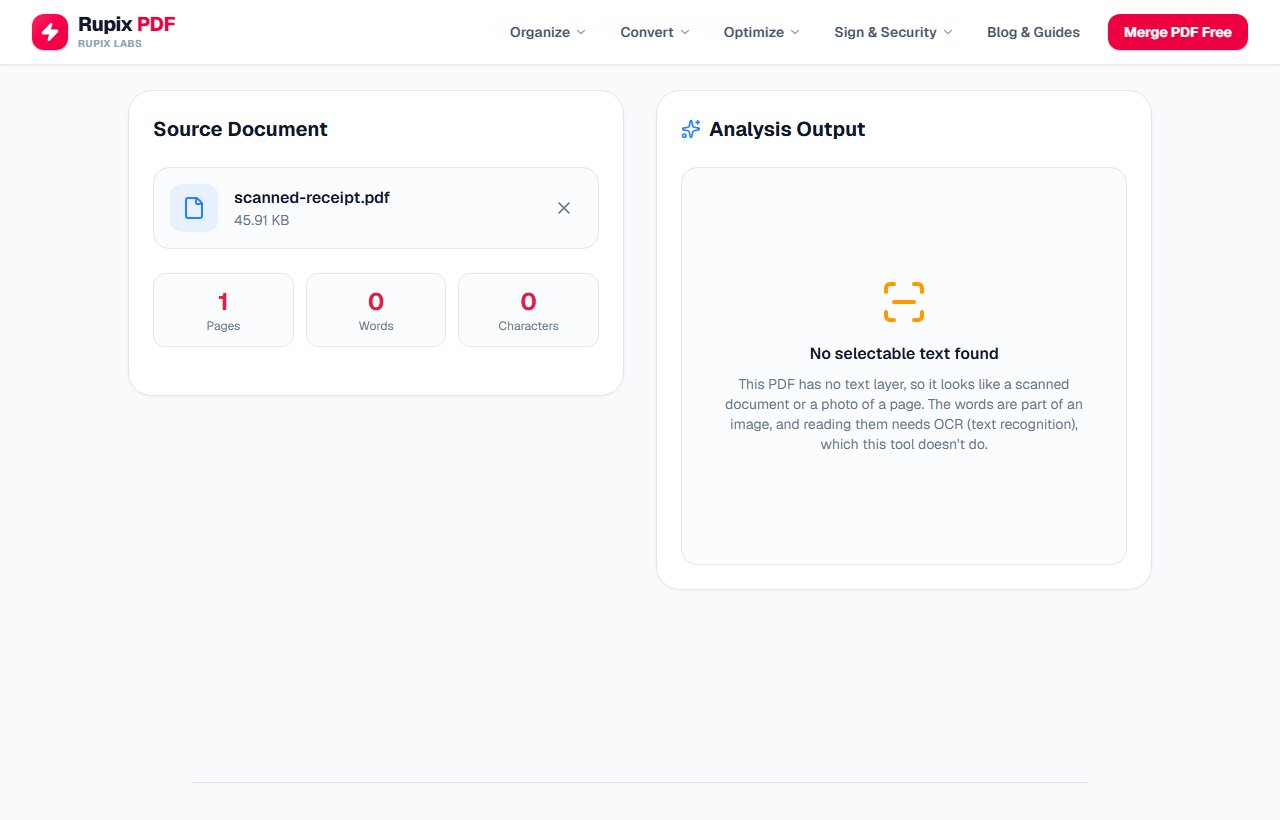
Results for scanned-receipt.pdf showing 1 page, 0 words and 0 characters and the No selectable text found message.
100% Client-Side Privacy Guarantee
Unlike other online PDF converters, Rupix operates on a zero-upload architecture. All PDF processing occurs locally in your browser memory using WebAssembly. No document bytes are ever uploaded to any server.
Engine Specifications
Supported Input
PDF with selectable text (.pdf)
Engine
PDF.js text extraction
Output
Plain text + heuristic key sentences (first 8, 30–300 chars)
Privacy
100% Local In-Browser Execution
File Limit
Up to 100 MB per file
Why use Rupix Extract Text from PDF?
Extracts all selectable text from a PDF, page by page
Shows page, word, and character counts
Key points: first 8 sentences (30–300 chars) in document order — not a summary, no AI
Copy button copies the FULL extracted text (key points not included)
Download .txt button saves the full text as a UTF-8 file
Shows "No selectable text found" message for scanned/image-only PDFs
100% private — text extraction runs entirely in your browser via PDF.js
Free, no sign-up, files up to 100 MB
Frequently Asked Questions
How exactly are the key points chosen?
The text is cut into pieces at every full stop, question mark and exclamation mark. The tool then keeps the first eight pieces, in reading order, that are longer than 30 and shorter than 300 characters. It does not rank sentences or remove repeats. On our four-page sample report, which prints the same disclaimer on every page, seven of the eight key points were pieces of that disclaimer joined to page headings, and the eighth was a row of table figures. Abbreviations such as Co. also count as sentence ends.
Does Copy include the whole document?
Yes. Copy always takes the complete extracted text, without the key points. We tested a 9,502-character, four-page document: the copied text ran from the first heading to the document's last sentence, and the .txt download was the same 9,502 characters. The on-screen panel stops at 20,000 characters on very long files, but Copy and Download .txt do not.
Can I download the text as a .txt or Word file?
You can download it as a .txt file with the Download .txt button, which saves the full text in UTF-8 under your PDF's file name. There is no Word download here; if you want an editable document with the layout kept, try the PDF to Word tool.
Why do headings and sentences run together in the output?
The tool joins all the text pieces on a page with spaces and does not keep line breaks, so a heading flows straight into the first sentence below it. Table cells come out as one line of values, and you may see occasional double spaces. Pages are still separated by a blank line, and the word and character counts are based on this joined text.